What is the real-time benefit of using semantic tags like <header>, <na<header><nav>v>and <article><article>?</article></nav></header>
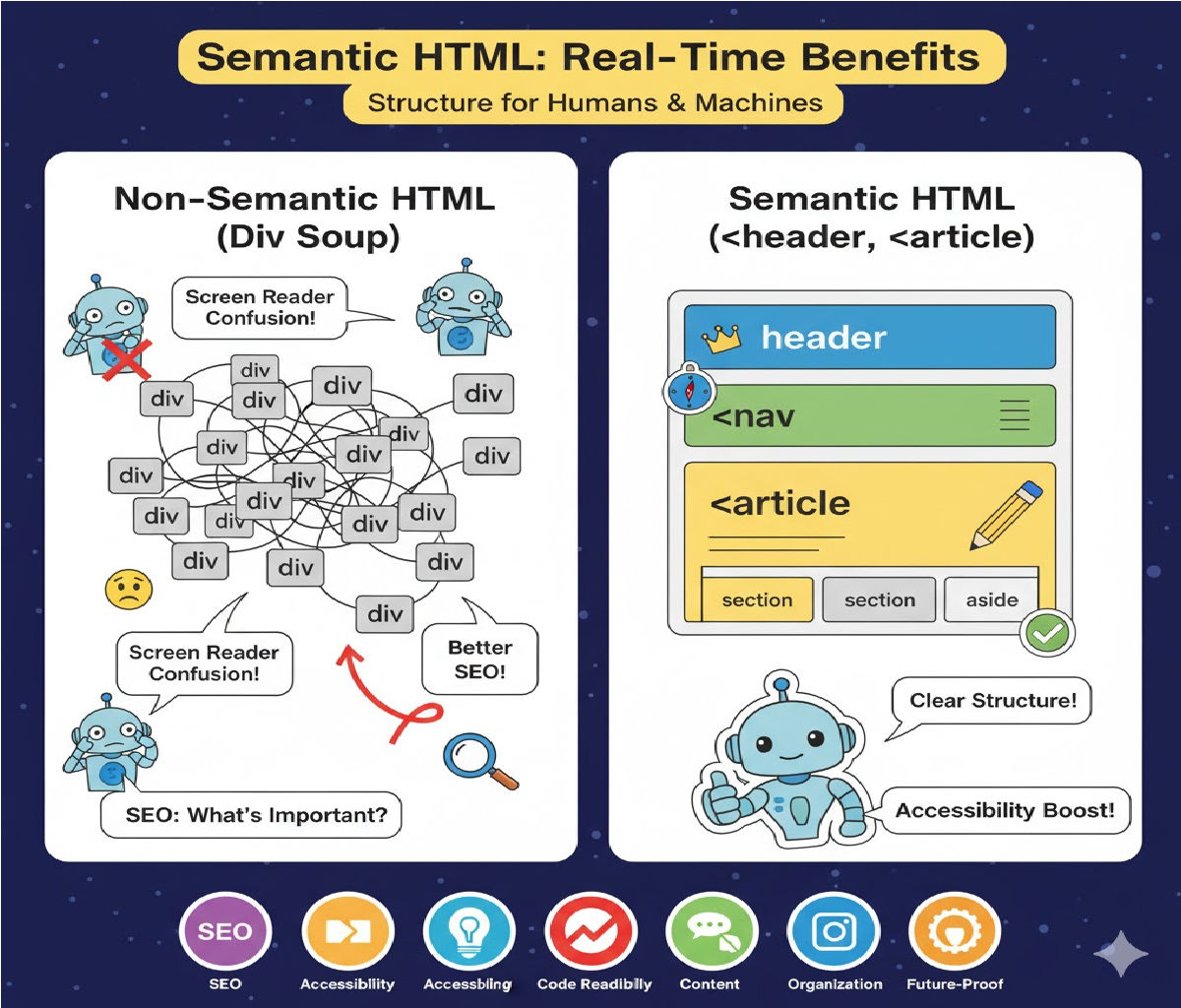
Real-Time Benefits of Using Semantic Tags Like <header>, <nav>, and <article> (With Code)
Modern web development is no longer just about making a webpage “work.” It is about creating web pages that are accessible, search engine optimized, structured, and future-proof. One of the most powerful and essential ways to achieve this is by using semantic HTML tags.
Semantic tags such as <header>, <nav>, <main>, <section>, <article>, <footer>, and several others were introduced to give meaning to the structure of a webpage. These tags tell both browsers and developers what the content represents, instead of just how it should look.
In this detailed guide, we explore the real-time benefits of using semantic tags like <header>, <nav>, and <article>. You will also find clear code examples, industry use cases, and SEO insights to help you understand why semantic HTML is considered a must-have in modern frontend development.
⭐ What Are Semantic HTML Tags?
Semantic HTML tags are elements that describe the meaning of their content.
For example:
<header>→ represents the introductory section or top bar<nav>→ represents navigation menus<main>→ holds the main content<article>→ represents a self-contained piece of content<footer>→ represents closing or summary information
These tags give structure and meaning that generic tags like <div> or <span> cannot provide.
⭐ Real-Time Benefits of Semantic Tags
Below are the most important real-world, practical benefits that semantic HTML tags provide.
1. Improved SEO Performance
Perhaps the most impactful real-time benefit of semantic tags is that they significantly boost Search Engine Optimization (SEO).
Search engines like Google, Bing, and DuckDuckGo use semantic structure to understand:
- What the webpage is about
- Which segments are more important
- The relationship between sections
- Which content should appear in search results
- Where the main article is located
- Navigation hierarchy
When you use <header>, <nav>, <main>, and <article>, search engines can identify:
- The main topic of your article
- The navigation layout
- User interface structure
- Content relevance
This leads to:
- Higher search rankings
- Better snippet display
- Enhanced crawling efficiency
✔ Why it matters in real-time?
If your page structure is clear to search engines, your content appears higher and quicker in search results, especially for featured snippets and knowledge panels.
2. Better Accessibility for Screen Readers
Users with disabilities rely on assistive technologies like:
- Screen readers (NVDA, JAWS, VoiceOver)
- Speech navigation tools
- Braille readers
These tools read the content based on HTML structure.
Semantic tags allow screen readers to announce sections correctly:
- “Navigation region”
- “Header section”
- “Article start”
- “Main content area”
This means users can jump directly to the part they want instead of reading through a wall of text.
✔ Real-time impact:
For government websites, banking apps, shopping websites, and educational portals, accessibility isn't optional — it’s legally required in many countries (WCAG, ADA compliance).
Semantic HTML ensures immediate accessibility without extra work.
3. Cleaner, Readable, Maintainable Code
Without semantic HTML, developers would write:
<div class="header"></div>
<div class="nav"></div>
<div class="article"></div>
But with semantic tags:
<header></header>
<nav></nav>
<article></article>
This drastically improves:
- Readability
- Maintenance
- Collaboration
- Code debugging
Teams understand the structure instantly—even without comments.
✔ Real-time benefit:
When developers join an ongoing project, semantic tags let them understand the layout in seconds rather than minutes or hours.
4. Enhanced Browser Compatibility and Rendering
Modern browsers treat semantic tags as important layout elements. Semantic tags provide:
- Better DOM structure
- Improved resource handling
- Consistent rendering across devices
- Faster layout calculations
✔ Real-time effect:
The page loads faster and performs better because the browser makes fewer guesses about the structure.
5. Improves User Experience (UX)
Semantic HTML helps:
- Improve content hierarchy
- Deliver cleaner layout
- Organize information properly
- Offer faster navigation
Users instantly understand where to find:
- Menu →
<nav> - Top section →
<header> - Main content →
<article> - Footer links →
<footer>
This reduces bounce rate and increases dwell time.
✔ Real-time result:
Websites with clear structure see higher user engagement and more conversions.
6. Better Structured Data and Rich Snippets
Semantic HTML also supports:
- Microdata
- Schema markup
- Open Graph
- Structured annotations
These enhance:
- Google rich results
- Featured snippets
- Knowledge graph entries
✔ Real-time benefit:
Your website gets more visibility, higher CTR, and more organic traffic.
7. Future-Proof Web Development
Semantic HTML is designed to be:
- Forward-compatible
- Standardized
- Non-breaking for future updates
HTML5 semantic tags are universally supported and will remain part of web standards for decades.
✔ Real-time impact:
Your code remains relevant and functional for years, requiring fewer redesigns.
8. Helps CSS and JavaScript Target Elements Better
CSS selectors become simpler and more intuitive:
header {
  background: #f2f2f2;
}

nav ul li a {
  padding: 10px;
}

article h2 {
  font-size: 24px;
}
This reduces the need for hundreds of classes and IDs.
JavaScript also becomes cleaner:
document.querySelector("nav").style.display = "block";
✔ Real-time effect:
Your scripts run faster and your CSS stays lightweight.
9. Increased Conversion in E-commerce and Blogs
Clear content layout helps in:
- Better CTA placement
- Faster checkout flow
- Optimized reading experience
- Higher trust and credibility
Semantic structure boosts user flow, especially for:
- Product pages
- Landing pages
- Blog posts
- Documentation pages
⭐ Code Example: Semantic vs Non-Semantic HTML
❌ Without Semantic Tags (Old Way)
<div id="top">
  <h1>My Website</h1>
</div>

<div id="navigation">
  <ul>
    <li>Home</li>
    <li>About</li>
    <li>Services</li>
  </ul>
</div>

<div id="content">
  <h2>Article Title</h2>
  <p>This is the content.</p>
</div>

<div id="bottom">
  <p>Copyright © 2025</p>
</div>
This code works, but it is:
- Not SEO optimized
- Not screen-reader friendly
- Harder to understand
✔ With Semantic Tags (Modern Way)
<header>
  <h1>My Website</h1>
</header>

<nav>
  <ul>
    <li>Home</li>
    <li>About</li>
    <li>Services</li>
  </ul>
</nav>

<main>
  <article>
    <h2>Article Title</h2>
    <p>This is the content of the article.</p>
  </article>
</main>

<footer>
  <p>Copyright © 2025</p>
</footer>
This is:
- More structured
- More accessible
- SEO friendly
- Future-proof
- Cleaner for developers
⭐ Real-Time Industry Use Cases of Semantic Tags
✔ 1. News Websites
Platforms like NDTV, BBC, Times of India heavily rely on <article> & <header> for and SEO-rich layout.
✔ 2. E-commerce Sites
Amazon, Flipkart, and Myntra use semantic tags for product pages, navigation bars, and promotional sections.
✔ 3. Government Websites (Accessibility Laws)
WCAG and ADA compliance requires semantic structure for accessibility.
✔ 4. Blogging Platforms
Medium and WordPress themes use <article>, <aside>, and <section> to structure content.
✔ 5. Corporate Websites
Semantic HTML ensures consistent branding and navigation layout across large teams.
⭐ Why <header>, <nav>, and <article> Matter Specifically
1. <header> Tag
Used for:
- Logos
- Page titles
- Introductory content
- Top banners
Benefits:
- Separates header from content
- Allows SEO engines to detect key page identity
- Helps screen readers recognize introduction area
2. <nav> Tag
Used for:
- Menus
- Breadcrumbs
- Sidebar navigation
- Footer navigation
Benefits:
- Screen readers can jump directly to navigation
- Boosts crawl efficiency
- Improves indexing of internal links
3. <article> Tag
Used for:
- Blog posts
- News posts
- Reviews
- Tutorials
- Forum posts
Benefits:
- Helps Google identify content blocks
- Allows reusability (e.g., RSS feeds, AMP pages)
- Makes content stand-alone and portable
⭐ Additional Code Example: Complete Semantic Layout
<!DOCTYPE html>
<html lang="en">
<head>
    <meta charset="UTF-8">
    <title>Semantic HTML Example</title>
</head>
<body>

<header>
  <h1>Tech Insights Daily</h1>
  <p>Your source for tech news</p>
</header>

<nav>
  <ul>
    <li>Home</li>
    <li>Gadgets</li>
    <li>AI News</li>
    <li>Reviews</li>
  </ul>
</nav>

<main>
  <article>
    <header>
      <h2>Why Semantic HTML Matters in 2025</h2>
    </header>
    <p>Semantic HTML continues to shape the future of web development...</p>
  </article>
</main>

<footer>
  <p>© 2025 Tech Insights Daily</p>
</footer>

</body>
</html>
This shows how a real website uses semantic layout in practice.
⭐ Conclusion
Semantic HTML tags like <header>, <nav>, and <article> are more than just modern alternatives to <div>. They provide tangible real-time benefits, including:
✔ Improved SEO and better search rankings
✔ Enhanced accessibility for screen-reader users
✔ Cleaner and more maintainable code
✔ Faster rendering and performance
✔ Better user experience and navigation
✔ Future-proof and standardized structure
✔ Easier CSS and JS integration
✔ Higher engagement and conversions
Using semantic tags is no longer optional—it is a necessary skill for every modern web developer who wants to build scalable, accessible, SEO-friendly websites.
Related Posts





